







Skip to content

Accounting and ERP

Sage 200 Integration

Zynk supports both Sage 200 Professional and Sage 200 Standard. This page covers Sage 200 Professional, connecting it to the web stores, marketplaces, CRMs, warehouses and procurement tools around it. Sales orders, customers, receipts and purchase invoices import into Sage 200, while stock, price bands, despatch notes and invoices export back out for growing UK businesses.

Available for

Capabilities may differ depending on the product.

Benefits

Why businesses connect Sage 200

Orders arrive as Sage 200 sales orders

Orders from Shopify, Magento, WooCommerce or Amazon import into Sage 200 as sales orders, with new customers created first. Zynk can then allocate stock against them, so the warehouse picks from orders that already have stock reserved.

Invoicing that follows the despatch

Once goods have left, Zynk imports goods despatched notes, then prints and posts the invoices in Sage 200. Customer and nominal accounts update when the order ships, not when someone gets round to the invoicing run.

Stock and trade prices on every channel

Stock levels, price bands and discount groups export from Sage 200, so web stores and B2B portals show what you hold and the prices each trade customer has agreed, without a second price list to maintain.

Purchasing joined up

Purchase orders export to your warehouse or 3PL, goods received notes import back, and purchase invoices from your procurement system post to the purchase ledger, so buying, receiving and paying suppliers all point at the same records.

Receipts matched to invoices

Customer receipts import into Sage 200 as transactions, and allocation sessions match them to the invoices they settle. Credit control works from accurate balances, and unallocated cash stops building up on the sales ledger.

Ask Sage 200 questions in plain English

Insights AI connects Sage 200 to the AI assistant your team already uses, with read-only access, so managers can ask about sales, customers and invoices in everyday language. No developers or report writers are involved.

Capabilities

What you can do with Sage 200

Every task the Zynk Sage 200 connector can run, grouped by the direction data moves.

Import into Sage 200

Data Zynk writes into Sage 200

15 tasks

  • Allocation sessions → into Sage 200
  • Currencies → into Sage 200
  • Customers → into Sage 200
  • Goods despatched notes → into Sage 200
  • Goods received notes → into Sage 200
  • Locations → into Sage 200
  • Price bands → into Sage 200
  • Purchase invoices → into Sage 200
  • Purchase orders → into Sage 200
  • Sales order acknowledgements → into Sage 200
  • Sales orders → into Sage 200
  • Stock records → into Sage 200
  • Stock transactions → into Sage 200
  • Suppliers → into Sage 200
  • Transactions → into Sage 200

Export out of Sage 200

Data Zynk reads out of Sage 200

24 tasks

  • Countries → out of Sage 200
  • Currencies → out of Sage 200
  • Customers → out of Sage 200
  • Despatch notes → out of Sage 200
  • Discount groups → out of Sage 200
  • Invoices → out of Sage 200
  • Locations → out of Sage 200
  • Nominal accounts → out of Sage 200
  • Price bands → out of Sage 200
  • Purchase allocation sessions → out of Sage 200
  • Purchase orders → out of Sage 200
  • Purchase transactions → out of Sage 200
  • Query → out of Sage 200
  • Report → out of Sage 200
  • Return notes → out of Sage 200
  • Sales allocation sessions → out of Sage 200
  • Sales orders → out of Sage 200
  • Sales transactions → out of Sage 200
  • Stock categories → out of Sage 200
  • Stock inventory → out of Sage 200
  • Stock records → out of Sage 200
  • Stock transactions → out of Sage 200
  • Suppliers → out of Sage 200
  • Tax codes → out of Sage 200

Actions in Sage 200

Tasks Zynk can automate in Sage 200

7 tasks

  • Allocate sales orders → in Sage 200
  • Convert proformas to sales orders → in Sage 200
  • Convert quotes to sales orders → in Sage 200
  • Post invoices → in Sage 200
  • Print invoices → in Sage 200
  • Update purchase orders → in Sage 200
  • Update sales orders → in Sage 200

Need something that isn't listed?

Most Sage 200 projects include at least one custom step. Our team builds it for you.

Talk to us

The problem

Why integrate Sage 200?

Sage 200 sits at the centre of many growing businesses, yet orders, stock and supplier paperwork start and finish in other systems. When those systems are not connected, staff rekey web orders, update stock files for each channel, chase despatch confirmations from the warehouse and type supplier invoices into the purchase ledger.

Without integration

  • Web orders retyped into Sage 200 sales order processing every morning
  • Invoices waiting days for the warehouse to confirm what has gone
  • Trade prices maintained twice, in Sage 200 and the B2B store
  • Supplier invoices keyed in by hand from emailed PDFs
  • Receipts left unallocated while customers are chased for invoices they have paid

With Zynk

  • Orders import as sales orders, with stock allocated automatically
  • Despatch notes import, then invoices print and post in Sage 200
  • Price bands and discount groups export from Sage 200
  • Purchase invoices import from your procurement system
  • Receipts post and allocate against the right invoices

How it works

How the Sage 200 integration works

  1. Step 1: Connect Sage 200 and each system

    Zynk connects to your Sage 200 Professional company and to each store, CRM, warehouse or procurement tool in scope. No SDK or API code is written or maintained on your side.

  2. Step 2: Map the ledgers and stock

    Map customers, stock items, locations, price bands, nominal accounts, tax codes and currencies, so every order and invoice lands in Sage 200 coded the way your finance team works.

  3. Step 3: Prove the order lifecycle

    Take test orders from entry through allocation, despatch, invoicing and receipt, checking stock, ledgers and VAT in Sage 200 at each stage before anything goes live.

  4. Step 4: Schedule each flow

    Orders and stock run every few minutes, invoicing and allocation on a timetable that suits finance. Alerts flag exceptions such as an unknown stock code or a customer account on hold.

Sage 200 and Shopify

Bring Shopify orders and customers into Sage 200 as sales orders, then send stock levels, price bands and despatch details to the store so shoppers see accurate availability and receive tracking.

From Sage 200 to Shopify:Stock levels, Price bands, DespatchesFrom Shopify to Sage 200:Orders, Customers

View the Shopify integration →

Sage 200 and Magento

Import Magento orders and customers into Sage 200, and return stock, tier prices and shipments so retail and trade buyers see the right availability and pricing.

From Sage 200 to Magento:Stock levels, Tier prices, ShipmentsFrom Magento to Sage 200:Orders, Customers

View the Magento integration →

Sage 200 and Salesforce

Turn Closed Won opportunities into Sage 200 sales orders, and give account teams the invoices and sales transactions behind each customer inside Salesforce.

From Sage 200 to Salesforce:Customers, Invoices, Sales transactionsFrom Salesforce to Sage 200:Sales orders, Customers

View the Salesforce integration →

Sage 200 and Peoplevox

Hand sales orders, purchase orders and stock records to Peoplevox, and import goods despatched and goods received notes once the warehouse has picked or booked in the stock.

From Sage 200 to Peoplevox:Sales orders, Purchase orders, Stock recordsFrom Peoplevox to Sage 200:Despatch notes, Goods received notes

View the Peoplevox integration →

Sage 200 and Zahara

Share suppliers, nominal accounts and stock records with Zahara, and import its purchase orders, goods received notes and supplier invoices into Sage 200 for matching and payment.

From Sage 200 to Zahara:Suppliers, Nominal accounts, Stock recordsFrom Zahara to Sage 200:Purchase orders, Goods received notes, Purchase invoices

View the Zahara integration →

Sage 200 and Shiptheory

Send Sage 200 sales orders to Shiptheory to produce labels, then bring the shipments back so despatch is recorded in Sage 200 with tracking for the customer.

From Sage 200 to Shiptheory:Sales ordersFrom Shiptheory to Sage 200:Shipments

View the Shiptheory integration →

All Sage integrations →See all integrations →

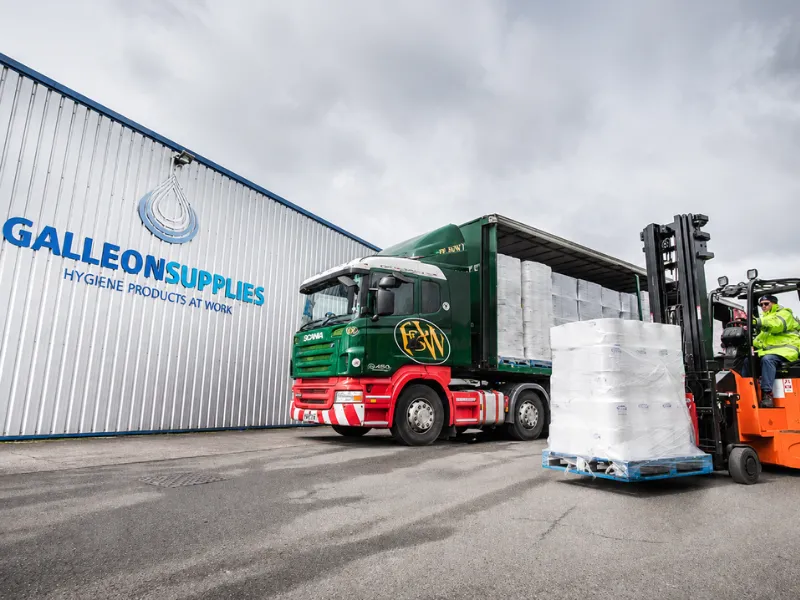
Galleon Supplies, a Zynk Sage 200 integration customer

Customer story

Galleon Supplies has relied on Zynk for over a decade to connect Sage 200 with its e-commerce platforms, scaling reliably through a migration to Shopify Plus and high-volume B2B trading.

Galleon Supplies

Read the Galleon Supplies story

Sage 200 integration FAQs

Will Sage 200 work with Shopify and other web stores?
Yes. Zynk connects Sage 200 with Shopify, Magento, WooCommerce, BigCommerce and marketplaces such as Amazon and eBay. Orders and customers import as sales orders, and stock levels, price bands and despatch details export back so each channel reflects what Sage 200 holds.
What should I know about the Sage 200 API?
Sage publishes the Sage 200 API, a REST API covering Sage 200 Professional and Standard. Working with it directly means handling authentication, lookups and version upgrades yourself. Zynk manages the connection to your Sage 200 company, so there is no integration code for your team to own.
Does Zynk support Sage 200 Professional and Sage 200 Standard?
Yes, Zynk supports both editions. This page covers Sage 200 Professional. Sage 200 Standard, the cloud edition, has its own connector page listing the tasks that apply to it, and Sage 200 Evolution, sold in Africa, is a separate product again. We confirm your edition during scoping.
Can Zynk convert quotes and pro formas into Sage 200 sales orders?
Yes. Zynk can convert Sage 200 quotations and pro forma invoices into sales orders, for example when a CRM marks a deal as won or payment arrives against a pro forma. The order then moves through allocation, despatch and invoicing like any other.
Can Zynk connect Sage 200 to a warehouse or 3PL?
Yes. Sales orders, purchase orders and stock records export from Sage 200 to warehouse systems such as Peoplevox, Mintsoft or ProSKU, or as files to a 3PL's server. Goods despatched and goods received notes then import back, keeping Sage 200 stock and order status correct.
Can Sage 200 share customer and invoice data with a CRM?
Yes. Zynk exports customers, invoices and sales transactions from Sage 200 to your CRM, so account teams can see what each customer has bought and owes. Customers created in the CRM import into Sage 200, and won opportunities can become Sage 200 sales orders automatically.
Can Zynk post and allocate receipts in Sage 200?
Yes. Customer receipts import into Sage 200 as transactions, and Zynk then imports allocation sessions that match each receipt to the invoices it pays. This suits card payments taken with web orders as well as remittances from trade customers.
How long before a Sage 200 integration is live?
Template-based projects, such as Shopify or Magento order processing, can go live in days. Integrations that span several systems or include custom rules, such as warehouse or procurement flows, take longer, and we agree the timeline with you before work begins.

See what Zynk can automate for your Sage 200 setup

Book a 20-minute call. We'll review your systems, flag the quick wins and outline a practical route to going live.

Book a callSee pricing