
Order Management System
Cloud Commerce Pro Integration
Zynk's Cloud Commerce Pro integration posts the sales activity from your multichannel order management platform into Sage and other accounting systems. Invoices, credit notes, receipts, payments and allocations export from Cloud Commerce Pro, Sage references are written back to customers and transactions, and stock and products move between Cloud Commerce Pro and your ERP or warehouse.
Capabilities may differ depending on the product.
Benefits
Why businesses connect Cloud Commerce Pro
A sales ledger nobody rekeys
Sales invoices and credit notes export from Cloud Commerce Pro and post to your accounts against the right customer, nominal and tax codes, for trade and retail customers across every channel you sell through.
Payments matched to invoices
Sales receipts, payments and allocations export alongside the invoices they settle, so cash posted in the accounts is matched to the right transactions and customer balances agree with the order platform.
References visible in both systems
Once a customer or transaction exists in Sage, Zynk writes its Sage reference back into Cloud Commerce Pro. Anyone looking at an order can find the matching ledger entry and see that it has already been posted.
Stock from the system that owns it
Stock levels import into Cloud Commerce Pro from your ERP or warehouse, and can be exported again for specific SKUs when another system needs them, so availability is consistent wherever you sell.
Returns that reach finance
Returns export from Cloud Commerce Pro together with the related sales credit notes, so refunds given to customers are reflected in the accounts without a separate spreadsheet of returned orders.
Product records in step
Products can import into Cloud Commerce Pro from your ERP item list, or export from it to a warehouse platform, so codes and descriptions match everywhere a SKU appears.
Capabilities
What you can do with Cloud Commerce Pro
Every task the Zynk Cloud Commerce Pro connector can run, grouped by the direction data moves.
Import into Cloud Commerce Pro
Data Zynk writes into Cloud Commerce Pro
4 tasks
- Customer sage reference updates → into Cloud Commerce Pro
- Products → into Cloud Commerce Pro
- Stock levels → into Cloud Commerce Pro
- Transaction sage reference updates → into Cloud Commerce Pro
Export out of Cloud Commerce Pro
Data Zynk reads out of Cloud Commerce Pro
10 tasks
- Orders → out of Cloud Commerce Pro
- Products → out of Cloud Commerce Pro
- Returns → out of Cloud Commerce Pro
- Sales allocations → out of Cloud Commerce Pro
- Sales credit notes → out of Cloud Commerce Pro
- Sales invoices → out of Cloud Commerce Pro
- Sales payments → out of Cloud Commerce Pro
- Sales receipts → out of Cloud Commerce Pro
- Stock levels → out of Cloud Commerce Pro
- Transactions → out of Cloud Commerce Pro
Need something that isn't listed?
Most Cloud Commerce Pro projects include at least one custom step. Our team builds it for you.
The problem
Why integrate Cloud Commerce Pro?
Cloud Commerce Pro gathers orders from many channels in one place, but finance still needs every sale, refund and payment in the accounts. Without integration, transactions are exported, reformatted and imported into Sage by hand, references get lost between systems and stock figures drift away from the warehouse.
Without integration
- Daily sales exported to a spreadsheet and imported into the accounts
- Payments posted but left unallocated against invoices
- No way to tell from an order whether it has reached Sage
- Returns refunded online but missing from the accounts
- Stock in Cloud Commerce Pro that disagrees with the warehouse
With Zynk
- Invoices and credit notes post to the ledger on a schedule
- Receipts and allocations export with the invoices they settle
- Sage references are written back to customers and transactions
- Returns and credit notes export together for finance
- Stock levels import from the ERP or warehouse system
How it works
How the Cloud Commerce Pro integration works
Step 1: Connect with your brand ID
Your Cloud Commerce Pro account manager provides a brand ID and security hash, which Zynk uses to connect. Your accounting system and any warehouse platform are connected in the same workflow.
Step 2: Map accounts and codes
Map customer types, payment methods and tax rates to customer accounts, nominal codes and bank accounts in your ledger, so each transaction type posts where your accountant expects it.
Step 3: Choose what to post
Pick the transaction types to export, such as invoices, credit notes and receipts, and whether to include those already processed. Orders can be filtered by status and by trade or retail customer.
Step 4: Post, then write back
After each posting run, Zynk updates Cloud Commerce Pro with the Sage reference for every new customer and transaction. Stock updates can run on their own, more frequent schedule.
Integrations
What can you connect to Cloud Commerce Pro?





Example use cases for Cloud Commerce Pro integration


Cloud Commerce Pro and Sage 50 UK
Post Cloud Commerce Pro invoices, credit notes and receipts into Sage 50 Accounts, then return Sage references and stock levels so both systems show the same picture.

Cloud Commerce Pro and Sage 200
Import Cloud Commerce Pro transactions into the Sage 200 sales ledger and send Sage 200 stock figures back to the order platform for every channel.
Cloud Commerce Pro and Xero
Create Xero invoices and credit notes from Cloud Commerce Pro sales and record the payments against them, ready for bank reconciliation in Xero.

Cloud Commerce Pro and Mintsoft
Send product records to Mintsoft for warehouse set-up and bring Mintsoft stock levels into Cloud Commerce Pro, so channels sell what the warehouse actually holds.

Cloud Commerce Pro and Microsoft Dynamics 365 Business Central
Post sales invoices and credit memos to Business Central, and create or update Cloud Commerce Pro products from Business Central items.
View the Microsoft Dynamics 365 Business Central integration →
Articles
Articles related to Cloud Commerce Pro
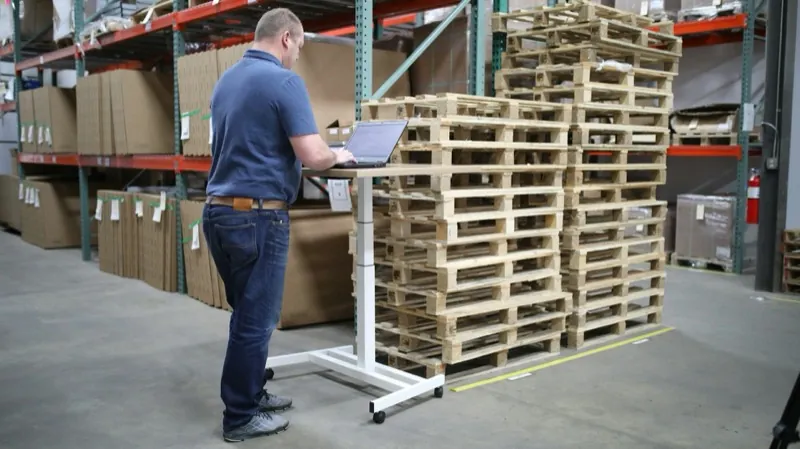
Transform your business with Linnworks Sage integration
Linnworks Sage integration seamlessly connects eCommerce management with accounting software, automating data flow between systems to eliminate manual entry and reduce errors.
Read more →
Streamlining operations with Amazon and Sage integration
Amazon and Sage integration automates order processing, inventory management, and financial reporting. Zynk's platform simplifies this connection, eliminating manual data entry and improving operational efficiency for Amazon sellers.
Read more →Cloud Commerce Pro integration FAQs
How do I post Cloud Commerce Pro sales into Sage 50?
Does Zynk support Sage 200 with Cloud Commerce Pro?
What are Sage reference updates in Cloud Commerce Pro?
Can stock levels in Cloud Commerce Pro update automatically?
Is it possible to send Cloud Commerce Pro sales to Xero?
What do I need to connect Cloud Commerce Pro to Zynk?
Can I export only trade or only retail orders?
See what Zynk can automate for your Cloud Commerce Pro setup
Book a 20-minute call. We'll review your systems, flag the quick wins and outline a practical route to going live.
Book a callSee pricing →