











Skip to content

Accounting and ERP

Sage 50 UK Integration

Zynk's Sage 50 UK integration connects Sage 50 Accounts to the ecommerce, CRM, warehouse and shipping systems your business already runs. Orders, customers, invoices and payments flow into Sage 50 automatically, and stock levels, price lists and statements flow back out, so UK finance teams stop rekeying data and keep VAT records accurate.

Capabilities may differ depending on the product.

Benefits

Why businesses connect Sage 50 UK

Accurate VAT records

Each sales channel's tax rates map to the right Sage 50 tax codes, so the VAT return you prepare and submit through Sage 50 for Making Tax Digital starts from complete, correctly coded transactions.

No SDK work for your team

Sage 50 is a desktop application that exposes an SDK rather than a web API. Zynk manages that connection, so you never write, host or update SDK code yourself.

No more overselling

Stock records export from Sage 50 to your web store and marketplaces, so customers only order what is actually on the shelf, even when the same stock sells across several channels.

Live in days

Proven templates for common scenarios, such as Shopify or WooCommerce order sync, mean many Sage 50 projects go live in days rather than months. Custom steps are added on top of the template, not built from scratch.

Faster reconciliation

Payments post to Sage 50 and are allocated against the matching invoices automatically, so the sales ledger shows what customers actually owe and credit control works from current figures.

Despatch without double entry

Despatch notes and goods received notes from your warehouse or 3PL import into Sage 50, and sales orders can be marked as despatched, so stock and order status stay correct without anyone re-entering them.

Capabilities

What you can do with Sage 50 UK

Every task the Zynk Sage 50 UK connector can run, grouped by the direction data moves.

Import into Sage 50 UK

Data Zynk writes into Sage 50 UK

13 tasks

  • Customers → into Sage 50 UK
  • Despatch notes → into Sage 50 UK
  • Goods received notes → into Sage 50 UK
  • Invoices → into Sage 50 UK
  • Price lists → into Sage 50 UK
  • Projects → into Sage 50 UK
  • Purchase invoices → into Sage 50 UK
  • Purchase orders → into Sage 50 UK
  • Sales orders → into Sage 50 UK
  • Stock records → into Sage 50 UK
  • Stock transactions → into Sage 50 UK
  • Suppliers → into Sage 50 UK
  • Transactions → into Sage 50 UK

Export out of Sage 50 UK

Data Zynk reads out of Sage 50 UK

20 tasks

  • Couriers → out of Sage 50 UK
  • Currencies → out of Sage 50 UK
  • Customers → out of Sage 50 UK
  • Departments → out of Sage 50 UK
  • Inventory → out of Sage 50 UK
  • Invoices → out of Sage 50 UK
  • Price lists → out of Sage 50 UK
  • Projects → out of Sage 50 UK
  • Purchase orders → out of Sage 50 UK
  • Query → out of Sage 50 UK
  • Report → out of Sage 50 UK
  • Sales orders → out of Sage 50 UK
  • SDO query → out of Sage 50 UK
  • Statements → out of Sage 50 UK
  • Stock categories → out of Sage 50 UK
  • Stock records → out of Sage 50 UK
  • Stock transactions → out of Sage 50 UK
  • Suppliers → out of Sage 50 UK
  • Tax rates → out of Sage 50 UK
  • Transactions → out of Sage 50 UK

Actions in Sage 50 UK

Tasks Zynk can automate in Sage 50 UK

7 tasks

  • Allocate payments → in Sage 50 UK
  • Despatch sales orders → in Sage 50 UK
  • Email invoices → in Sage 50 UK
  • Email statements → in Sage 50 UK
  • Update invoices → in Sage 50 UK
  • Update ledgers → in Sage 50 UK
  • Update sales orders → in Sage 50 UK

Need something that isn't listed?

Most Sage 50 UK projects include at least one custom step. Our team builds it for you.

Talk to us

The problem

Why integrate Sage 50 UK?

Sage 50 rarely works alone. Orders arrive from an online store, customers live in a CRM and stock is picked by a warehouse or 3PL. When those systems are not connected, someone has to rekey every order, payment and stock movement into Sage 50, and the backlog grows as the business does.

Without integration

  • Web orders typed into Sage 50 one at a time, often days after they were placed
  • Stock levels in Sage that don't match the website, leading to overselling
  • Payments received but not allocated against the right invoices
  • Customer and supplier details that differ between Sage 50 and the CRM
  • Month-end spent chasing discrepancies instead of analysing the numbers

With Zynk

  • Web orders land in Sage 50 as sales orders or invoices automatically
  • Stock levels export from Sage 50 so the website shows real availability
  • Payments are posted and allocated against invoices as they arrive
  • Customers and suppliers stay in step between Sage 50 and the CRM
  • Month-end starts from complete, accurate ledgers

How it works

How the Sage 50 UK integration works

  1. Step 1: Connect

    Zynk connects to your Sage 50 company and to your other systems. The Sage 50 SDK connection is handled for you, with no development work on your side.

  2. Step 2: Map

    Map customers, products, tax codes, nominal codes and departments so every transaction lands in Sage 50 coded the way your accountant expects.

  3. Step 3: Test

    Run the workflows against test transactions and check the results in Sage 50 before going live. Mappings are adjusted until ledgers, VAT and stock all agree.

  4. Step 4: Automate

    Workflows run on a schedule or in near real time, with alerts when a transaction needs attention, such as a missing customer account or an unmatched payment.

Sage 50 UK and Shopify

Import Shopify orders as sales orders or invoices, export stock back to the store and allocate card payments against the invoices automatically.

From Sage 50 UK to Shopify:StockFrom Shopify to Sage 50 UK:Web orders, Payments

View the Shopify integration →

Sage 50 UK and WooCommerce

Import WooCommerce orders and customers into Sage 50 and send stock levels back to the store, so a busy WordPress shop doesn't need someone rekeying orders.

From Sage 50 UK to WooCommerce:StockFrom WooCommerce to Sage 50 UK:Orders, Customers

View the WooCommerce integration →

Sage 50 UK and Linnworks

Bring Linnworks orders from every marketplace into Sage 50 as invoices or sales orders, and send stock levels back so Linnworks only sells what you hold.

From Sage 50 UK to Linnworks:StockFrom Linnworks to Sage 50 UK:Orders

View the Linnworks integration →

Sage 50 UK and Salesforce

Keep customers in step with the sales ledger and give sales teams visibility of invoices and statements inside Salesforce.

From Sage 50 UK to Salesforce:Invoices, StatementsFrom Salesforce to Sage 50 UK:Customers

View the Salesforce integration →

Sage 50 UK and Mintsoft

Send sales orders to Mintsoft for fulfilment, then post despatch notes and goods received notes back into Sage 50.

From Sage 50 UK to Mintsoft:Sales ordersFrom Mintsoft to Sage 50 UK:Despatch notes, GRNs

View the Mintsoft integration →

Sage 50 UK and ShipStation

Send sales orders to ShipStation and mark them as despatched in Sage 50 once ShipStation records the shipment.

From Sage 50 UK to ShipStation:Sales ordersFrom ShipStation to Sage 50 UK:Despatches

View the ShipStation integration →

All Sage 50 integrations →See all integrations →

Ultimate Sports Engineering, a Zynk Sage 50 UK integration customer

Customer story

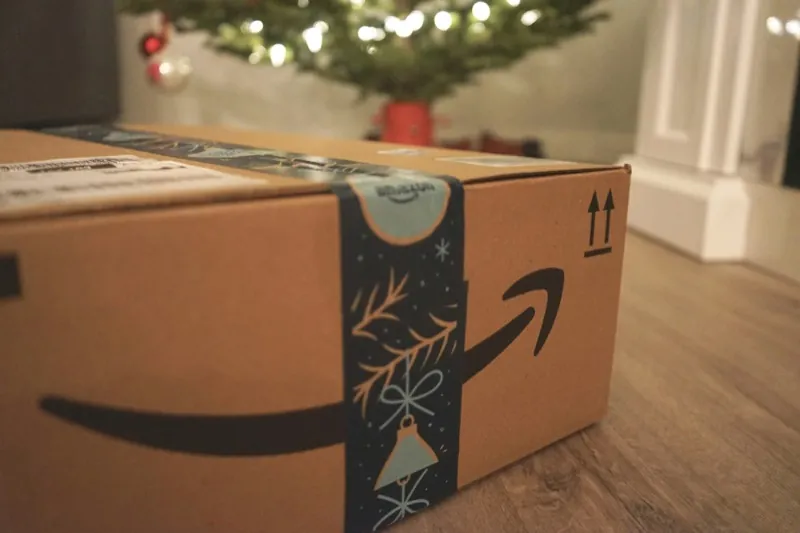
Ultimate Sports Engineering automated 1,500+ monthly orders from multiple Shopify stores into Sage 50 with Zynk, saving hundreds of hours and virtually eliminating data entry errors.

Ultimate Sports Engineering

1,500+
orders automated each month
hundreds of hours
saved through automation
Read the Ultimate Sports Engineering story

Sage 50 UK integration FAQs

Can Sage 50 integrate with my ecommerce store?
Yes. Zynk connects Sage 50 UK with ecommerce platforms including Shopify, WooCommerce and Magento. Web orders and customers import into Sage 50 automatically, and stock levels and price lists export back to the store, so nobody rekeys data between your shop and your accounts.
Does Sage 50 have an API for integration?
Sage 50 UK is a desktop application that exposes an SDK rather than a modern web API. Zynk handles the SDK connection for you, so your other systems can read from and write to Sage 50 reliably without custom development.
Which versions of Sage 50 does Zynk work with?
Zynk works with Sage 50 Accounts in the UK, including versions sold as Sage 50cloud Accounts. Our team confirms your version and edition during scoping, so you know the integration will work with your setup before any build starts.
How long does a Sage 50 integration take to set up?
Template-based Sage 50 integrations, such as Shopify or WooCommerce order sync, can go live in days. Projects with custom rules or several connected systems take longer, and we scope the timeline with you before work starts.
Is the Sage 50 integration real-time or scheduled?
Both. Zynk can run Sage 50 workflows on a schedule, such as every few minutes, or trigger them in near real time, depending on the systems involved and how quickly your team needs the data in Sage 50.
Can Zynk allocate payments in Sage 50?
Yes. Zynk can post payments into Sage 50 and allocate them against the matching invoices, so customer accounts show what has actually been paid. This suits ecommerce orders paid by card, where the payment arrives with the order.
Can Zynk connect Sage 50 to a CRM?
Yes. Zynk connects Sage 50 UK with CRMs including Salesforce, HubSpot and Zoho CRM. Customer records can import into Sage 50, and invoices and statements can be exported back, so sales teams see what a customer owes without asking finance.
What does a Sage 50 integration cost?
Pricing depends on the systems you connect and the volume of data you move. Zynk publishes plan pricing on its pricing page, and for larger projects our team will scope your requirements and provide a tailored quote.

See what Zynk can automate for your Sage 50 UK setup

Book a 20-minute call. We'll review your systems, flag the quick wins and outline a practical route to going live.

Book a callSee pricing